
Toyota
Toyota Motor North America, Inc.Auto & Vehicles
4.722.44K Reviews
- Version
- 3.6.0
- Installs
- 5.00M
- Age Rating
- Everyone
Screenshots
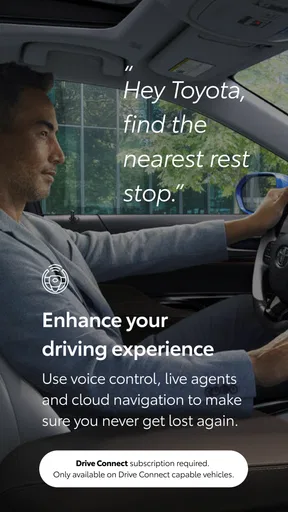
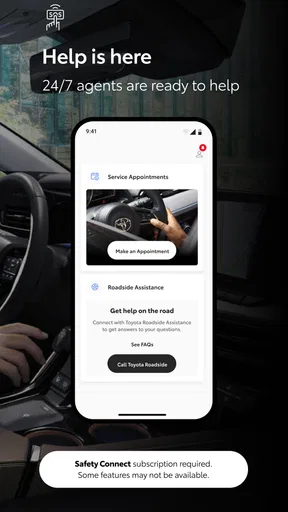
Our Review of Toyota
 Analysis by Appyee
I judge a car companion app by whether it helps with the small jobs that otherwise mean searching through paperwork, calling the service desk, or walking back across a parking lot. Toyota is Toyota Motor North America, Inc.’s free app for managing supported Toyota vehicles, and its appeal is practical rather than flashy: it brings vehicle-related tasks together on a phone. In the Auto & Vehicles category, that makes most sense for owners who want one place to keep an eye on their car and its care, not for someone shopping for a general-purpose driving or navigation app.
Using the app as part of owning a Toyota
The app first needs to match your vehicle and ownership setup. It supports Toyota vehicles from 2010 onward, with a newer cutoff for Hawaii, where supported vehicles are from 2018 onward. That distinction is worth checking before you spend time setting up an account: an owner with an older vehicle may not get the same experience, and location can change eligibility. The minimum operating system is version 10, so it is also sensible to check that your phone meets that requirement before relying on the app.
Where it fits into an ordinary week
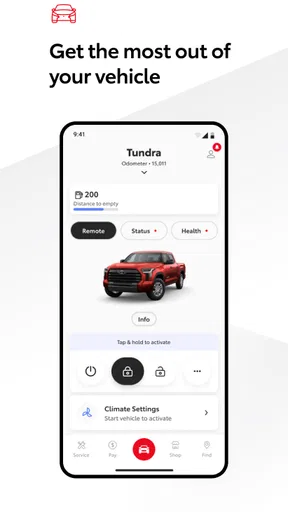
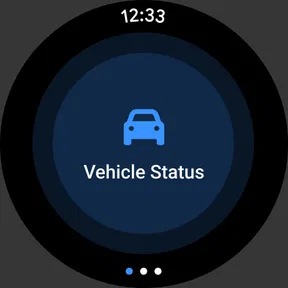
For a supported vehicle, the strongest case is handling several little ownership tasks without treating each one as a separate project. I can see why reminders and service-history access would be useful when I am trying to remember what maintenance is due, while vehicle-status tools can answer a quick question before I head out. The benefit is not that every trip becomes different; it is that routine details are easier to find when I need them.
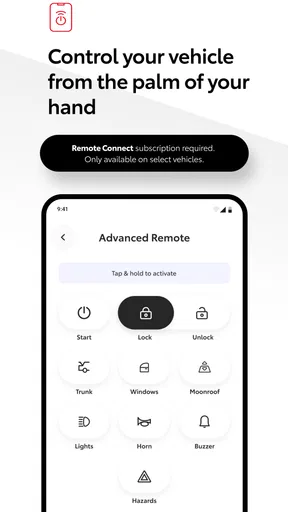
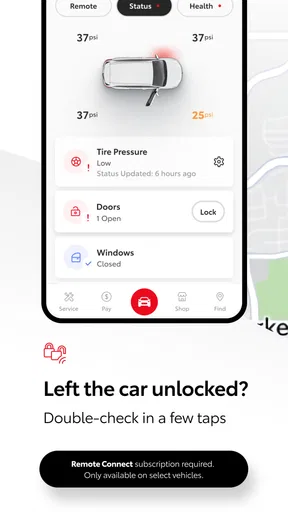
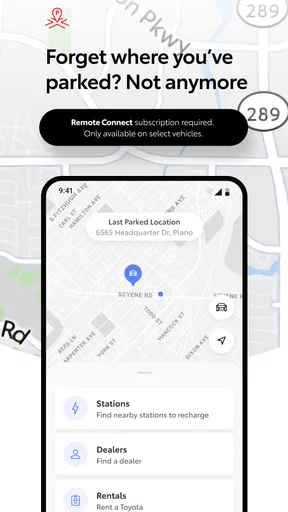
Picture a weekday morning: I am getting ready for work, the weather is uncomfortable, and I cannot remember whether I locked the car after unloading groceries. Remote controls, when available for the vehicle and account, can be useful in exactly that kind of moment. Later, after parking at a busy shopping center, a location tool can save me from retracing the wrong row. Those are modest conveniences, but they are more persuasive than a feature list because they solve recognizable problems.
What to check before depending on it
Compatibility is the first practical question, not an afterthought. The age of the vehicle matters, and the Hawaii exception means owners there should check the 2018-or-newer cutoff rather than assume the general 2010-or-newer range applies. A phone that is below the minimum operating-system requirement is another reason to pause. If either condition rules out your setup, a paper service record, the vehicle’s own displays, or direct contact with a Toyota service location may be more dependable for the task at hand.
It is also worth separating the convenience of an app from a guarantee that every function works on every Toyota. Vehicle support and available services can vary, so I would confirm what appears for my specific car after signing in instead of planning around a control I have not checked. That is especially important for remote actions: they are useful as a backup for a forgotten lock or a chilly start, but I would not make them my only way to secure or prepare a vehicle.
How it compares with other car tools
Compared with a general navigation app, this is an ownership companion, not a replacement for route planning, live traffic, or the broad mapping tools people already use. Compared with a dealership phone call, it can make basic information and reminders easier to reach, but it does not remove the need for a service professional when a warning light or mechanical problem needs diagnosis. And compared with keeping maintenance notes in a calendar, the advantage is having Toyota-related vehicle information gathered in one place; the trade-off is that the app is tied to supported Toyota ownership rather than being a flexible log for every car in a household.
That distinction helps me decide who should install it. It is a natural fit for someone who owns a supported Toyota, wants reminders close at hand, and will actually use vehicle-specific conveniences. It is less compelling for a driver who only needs directions, owns a vehicle outside the supported range, or prefers not to manage car details through an account. If you share a car, it can still be worth exploring, but I would first make sure the account arrangement and the functions shown for that vehicle suit everyone who uses it.
Getting more value without adding hassle
A useful habit is to check the vehicle and service details soon after setup, while there is time to correct anything that looks incomplete. If I am preparing for a service visit, I would review the history and reminders beforehand, then keep any separate receipts or notes that matter to me rather than assuming an app replaces every record. This gives the app a clear role: a convenient reference, not the sole archive for important paperwork.
For parking tools, I would treat the displayed location as a helpful starting point and pay attention to the landmarks and level where I left the car. That small habit matters in large garages, where a broad location alone may not identify the exact space. For remote controls, I would use them when they solve a specific need and still make a quick visual check when security matters. The app can reduce uncertainty, but it cannot make a distracted parking routine foolproof.
What the figures say—and what they do not
The app has an average rating of 4.5 from around 126,000 ratings, with more than 19,000 written reviews and over a million installs. Those figures suggest that many owners find a reason to keep it, but they do not tell me whether a particular vehicle supports the functions I care about. My decision would still start with the model-year and location rules, then with the options actually available after setup.
It is free to download and rated for Everyone, which lowers the barrier to trying it; that does not mean every connected service is necessarily free. Some services may require a subscription, so I would check the terms shown for any feature before treating it as a permanent no-cost part of ownership. The app was released on August 6, 2019, but a release date alone does not establish what has changed since then or which functions are currently available to every owner.
What I would want from the next stage
In daily use, the main friction is the gap between a feature being attractive in principle and being available for a particular car, account, or service arrangement. Occasional glitches can also interrupt a task that feels simple when it works. If I need to lock a car or confirm a detail urgently, I would keep the vehicle’s normal controls and habits as a fallback rather than assume the phone is always the fastest route.
I would also like maintenance guidance to feel more personal, but I would rather see useful recommendations grounded in the car’s needs than extra alerts for their own sake. That is a sensible area to watch as the app evolves, not a promise about what will appear. For existing users, the best test of a change is whether it makes a real task clearer or more reliable; a new screen is not an improvement if it adds steps to checking a reminder or finding the right vehicle detail.
Features That Drive You
Now, onto the juicy part — the features. The app offers a ton of functionality that makes managing your vehicle a whole lot easier. You can check your car’s health, schedule maintenance, and even find your car in a crowded parking lot using the "Find My Car" feature. Yup, no more aimlessly wandering around the mall parking lot pressing your key fob hoping to hear a beep.
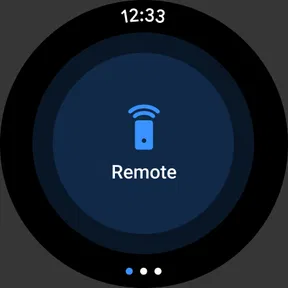
Another cool feature is the remote start. Imagine being able to start your car from the comfort of your living room, especially on a chilly morning. Cozy, right? And for those of us who tend to forget things, you can lock/unlock your car remotely too. It's like your car is always within arm’s reach.
Why You'll Love It
I personally love the maintenance reminders. It’s like having a personal assistant for your car. No more sticky notes on the fridge reminding you of your next oil change. Plus, the app syncs beautifully with your service history, so you can keep track of everything in one place.
And for the tech-savvy folks, the integration with smart home devices is pretty neat. Imagine just asking Alexa about your car’s fuel level. It’s like living in the future.
Room for Improvement
Of course, no app is perfect. While the Toyota app is pretty fantastic, there are a couple of things that could make it even better. Some features require a subscription, which might not be everyone's cup of tea. And, like any app, it occasionally has minor glitches, but nothing a quick update can't fix.
One thing I’d love to see is more personalized recommendations based on driving habits. But hey, maybe that’s something they’ll add in the future.
Overall, if you’re a Toyota owner, this app is definitely worth checking out. It's packed with practical features that make managing your vehicle a lot simpler. And let's be honest, anything that makes life a little less hectic is a win in my book. So go ahead, give it a spin and see how it transforms your car experience!
Privacy and Permissions
See what permissions an app requests and how it handles your data.
- Calendar
- add or modify calendar events and send email to guests without owners' knowledge
- Location
- approximate location (network-based), precise location (GPS and network-based)
- Phone
- read phone status and identity
- Camera
- take pictures and videos
- Wi-Fi connection information
- view Wi-Fi connections
- Device ID & call information
- read phone status and identity
- Other
- view network connections, pair with Bluetooth devices, access Bluetooth settings, change network connectivity, full network access, run at startup, draw over other apps, control vibration, prevent device from sleeping
Verdict
Strengths of Toyota
- User-friendly interface with intuitive navigation.
- Comprehensive vehicle maintenance tracking features.
- Real-time alerts for service and recalls.
- Seamless integration with smart home devices.
- Offers personalized driving tips and insights.
Limitations of Toyota
- Limited compatibility with older vehicle models.
- Requires stable internet for optimal performance.
- Some features locked behind a paywall.
- Occasional syncing issues with certain devices.
- User support is limited to business hours.
Similar Picks in This Category
View All
Android Auto
Google LLC4.1

maxim — order a taxi & food
PT. SITO4.7

Штрафы ГИБДД: проверка с фото
Pays LLC – Штрафы ГИБДД4.7

Номерограм – проверка авто
Авто Ассист4.8

Дром Авто
Дром4.9

Frequently Asked Questions
What features does the Toyota app offer?
The Toyota app provides a wide range of features including vehicle health reports, maintenance scheduling, remote start, and lock/unlock capabilities. It also offers navigation assistance and integration with other smart home devices. Users can manage their vehicle's settings and receive alerts about recalls and service requirements.
Is the Toyota app compatible with all Toyota models?
The app is compatible with most recent Toyota models, although some features may be limited based on the vehicle’s year and trim. It’s advisable to check the app’s compatibility list on the official Toyota website or within the app store description before downloading to ensure full functionality with your specific model.
How secure is my data with the Toyota app?
The Toyota app employs advanced encryption technologies to protect user data. Toyota prioritizes user privacy and security, ensuring that personal and vehicle information is securely stored and transmitted. It’s important for users to keep the app updated to benefit from the latest security enhancements.
Do I need a subscription to use the Toyota app?
Basic features of the Toyota app are free; however, premium services such as remote start and advanced navigation require a subscription. There may also be promotional periods offering free trials. Users should review the app’s pricing details and subscription options within the app to decide on the best plan for their needs.
How can I troubleshoot issues with the Toyota app?
If you encounter issues with the Toyota app, start by checking your internet connection and ensuring the app is updated to the latest version. The app includes a help section with FAQs and troubleshooting tips. For persistent problems, contacting Toyota customer support via the app or website is recommended for personalized assistance.
